
How to Join a Group
Follow these step-by-step instructions to join a group and stand with your friends at Kyle Field.
Step 1
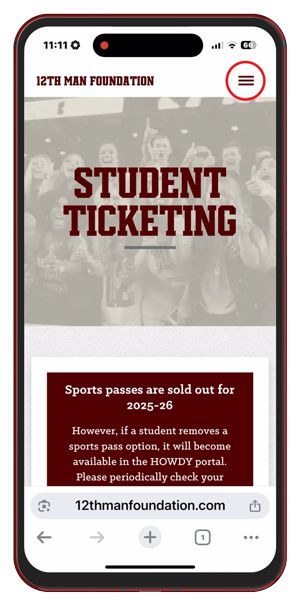
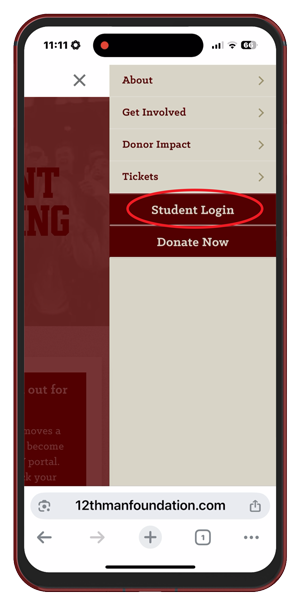
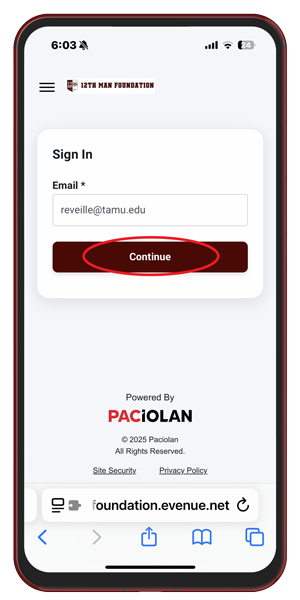
Go to ticketpull.com and select “Student Login” from the menu. Use your tamu.edu email address to sign in to your 12th Man Foundation account.
Step 2
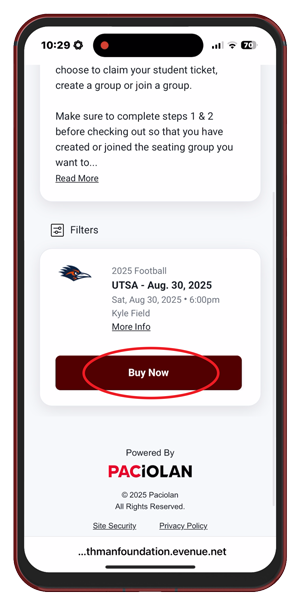
Once you’re logged in, scroll down to find the game you want and tap “Buy Now.”
Note: Payment will only be required if you choose to purchase a guest ticket.
Step 3
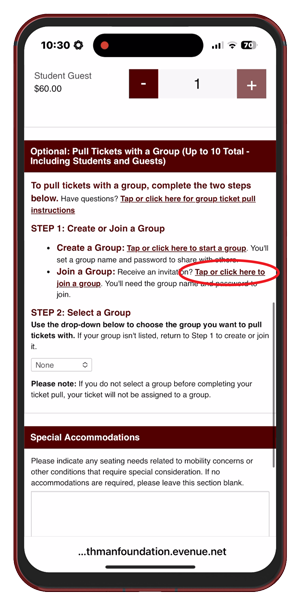
In the “Pull Tickets with a Group” section, tap the link next to “Join a Group” that says, “Tap or click here to join a group.”
Step 4
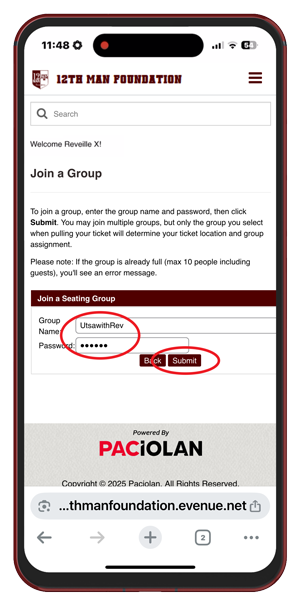
Enter the group name and password, then tap “Submit.”
Note: If you received an invitation email, it will include the group name and password. You can also get this information directly from the student who created the group.
Step 5
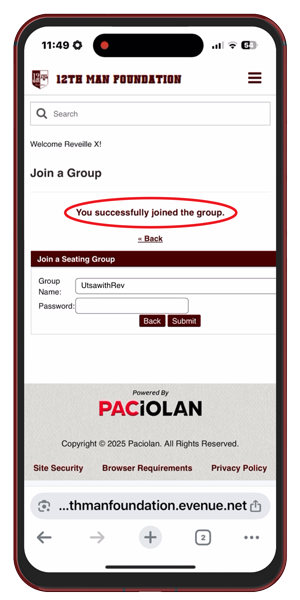
Once you have joined the group, you’ll see a confirmation message at the top of the screen and get a confirmation email.
Note: If you get an error, double-check your information and try again.
Step 6
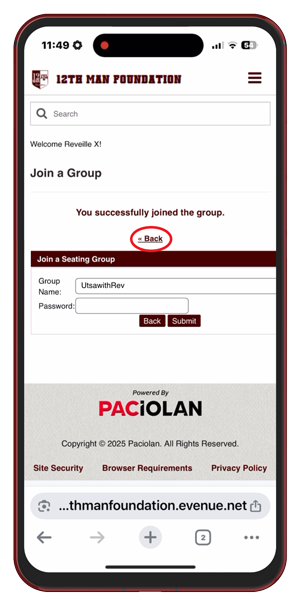
If you’re ready to pull your ticket with the group, tap “Back” at the top of the screen.
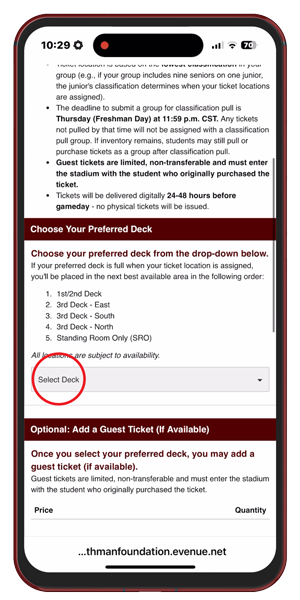
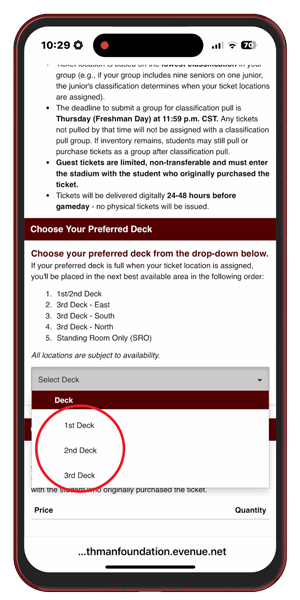
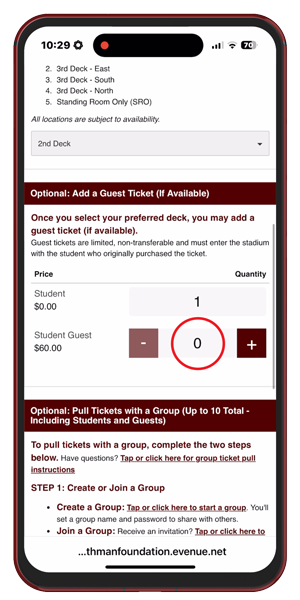
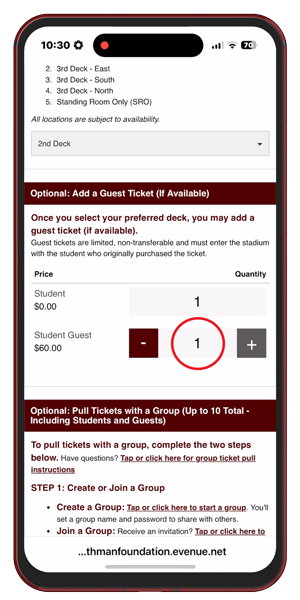
Step 9
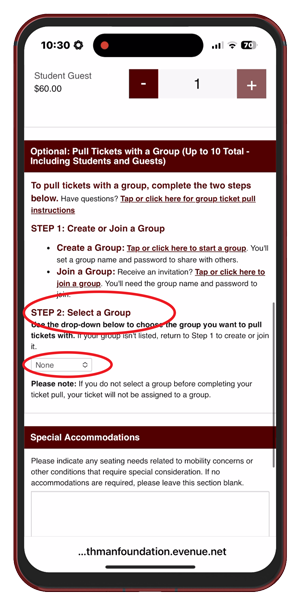
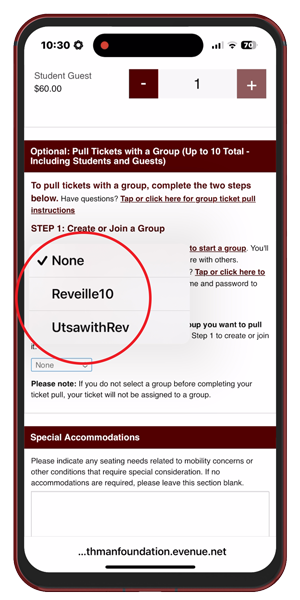
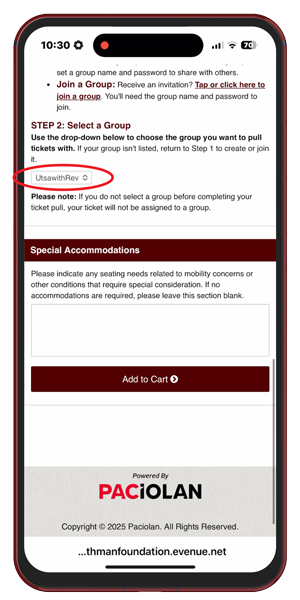
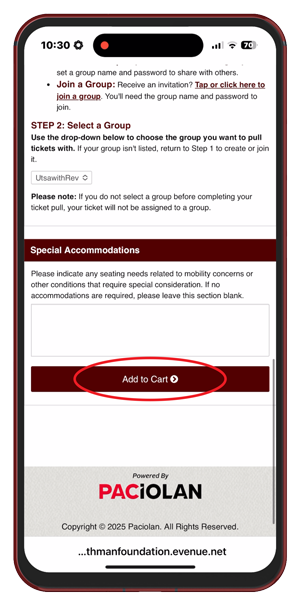
Make sure the right group is selected in the dropdown menu under Step 2 in the “Pull Tickets with a Group” section. If it’s not selected, your ticket won’t be assigned with the group.
Step 10
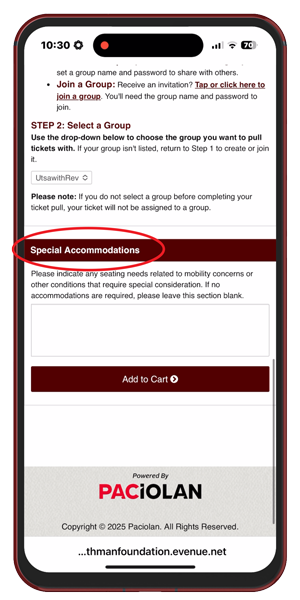
If you have mobility or other seating needs, enter them in the “Special Accommodations” box.
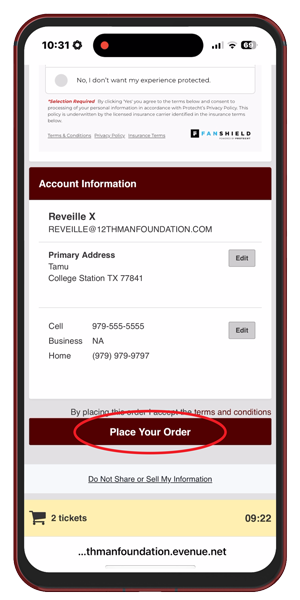
Step 13
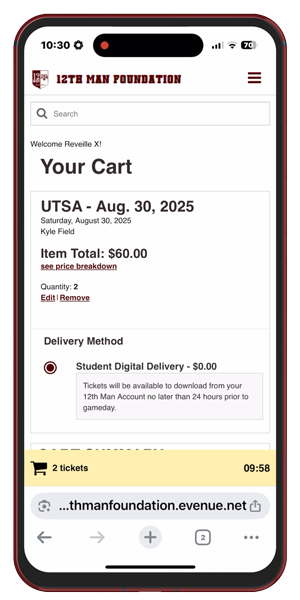
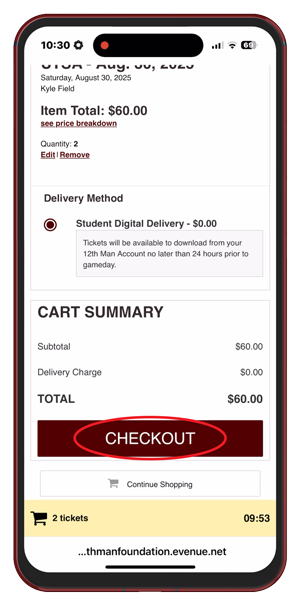
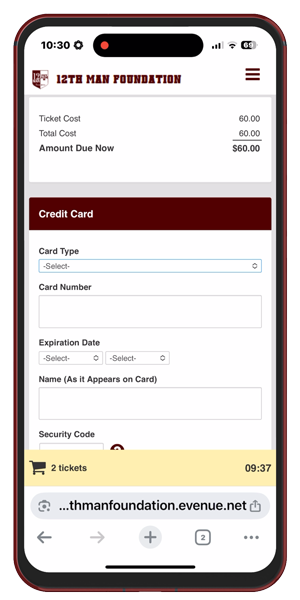
Confirm your details and provide payment information if you’re purchasing a guest ticket. Tap “Place Your Order” to complete your ticket pull.
Keep in mind, once you place your order, your ticket pull for that game is final.
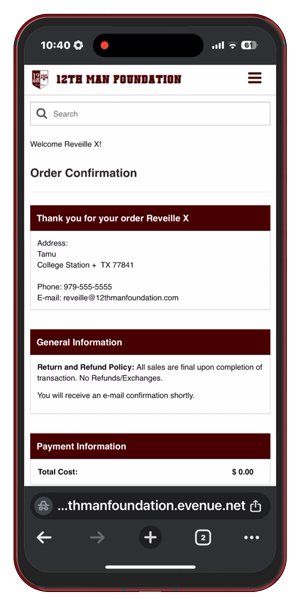
That's It!
You’ll receive an email confirming your order.
Tickets will be accessible through your 12th Man Foundation account 24-48 hours before the game. Remember to add your ticket to your mobile wallet before arriving on gameday.